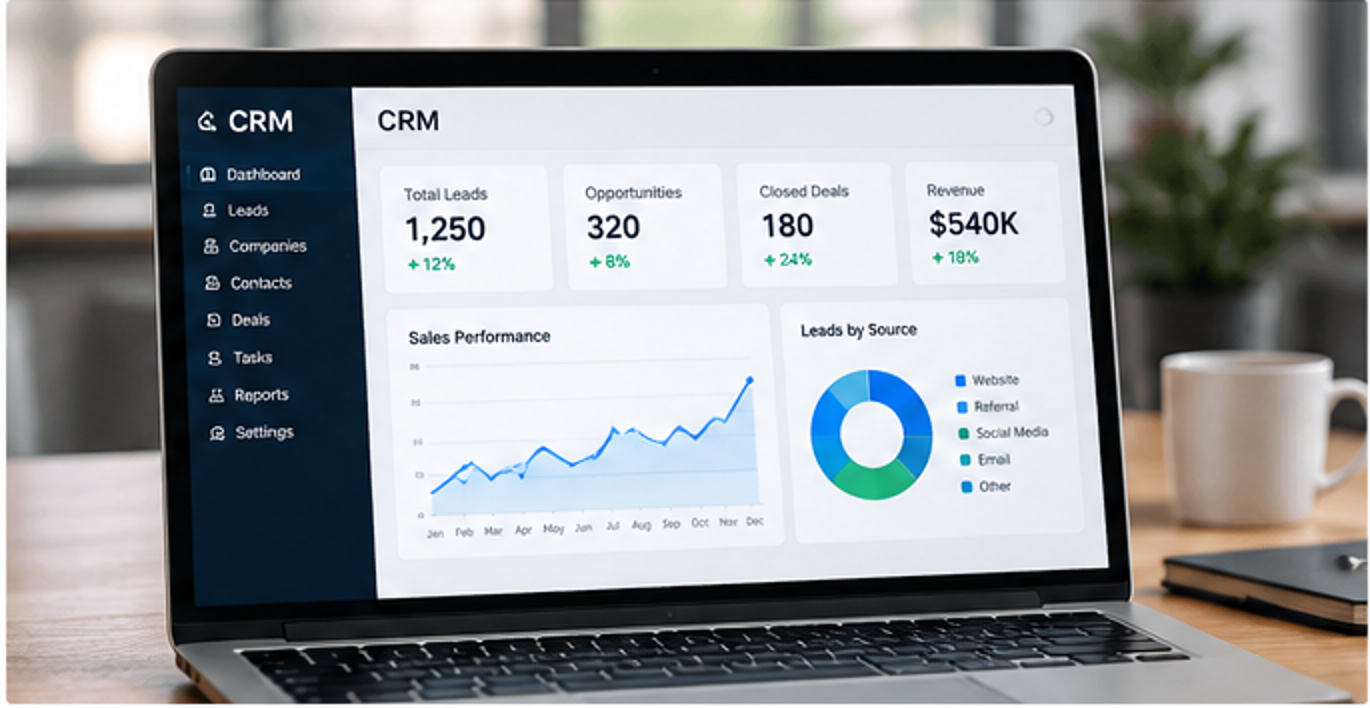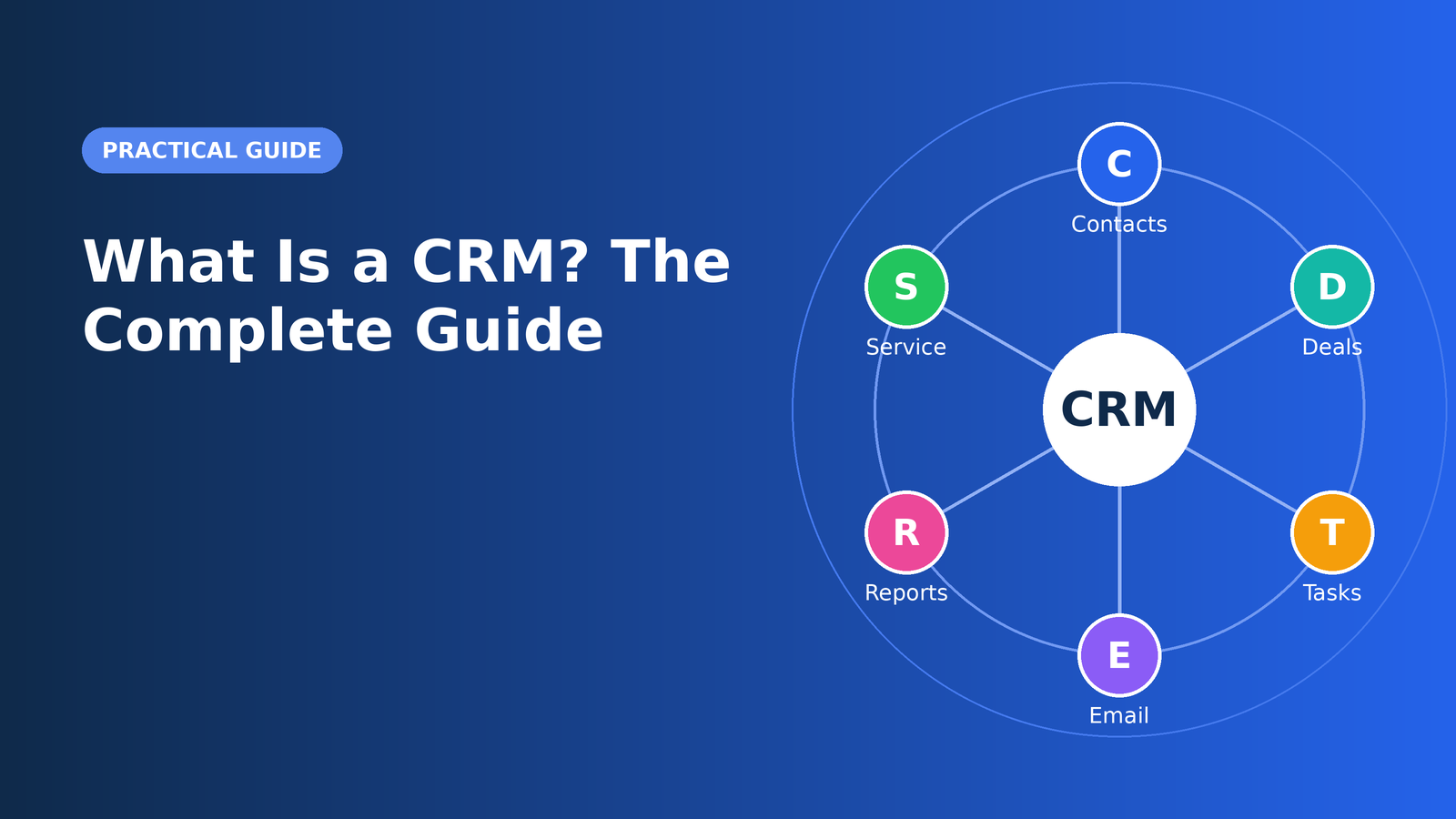
Every business, from a solo consultant to a global enterprise, depends on relationships. Customers who feel known and valued buy more, stay longer, and recommend you to others. The challenge is that relationships generate an enormous amount of information: names, phone numbers, emails, conversations, purchase history, support tickets, and promises made in passing. Trying to track all of that in spreadsheets, inboxes, and sticky notes is a recipe for missed opportunities. That is exactly the problem a customer relationship management system, usually shortened to CRM, was built to solve.
This guide explains what a CRM is, how it works in practice, the features that matter most, the different types of CRM software, and how to decide whether your business is ready for one. Whether you are researching your first system or reconsidering the one you already use, you will leave with a clear, practical picture.
What Is a CRM?
A CRM is a combination of strategy, process, and software that helps a company manage every interaction with current and potential customers. At its simplest, it is a centralized database where all customer information lives. At its best, it is the operating system for your revenue teams, showing who your customers are, what they care about, where they are in the buying journey, and what should happen next.
It helps to separate two meanings of the term. First, CRM as a philosophy: the commitment to organizing your business around the customer rather than around internal departments. Second, CRM as a tool: the software that makes that philosophy possible at scale. Companies that buy the tool without adopting the philosophy often end up with an expensive contact list. Companies that embrace both tend to see tangible gains in sales efficiency, service quality, and customer loyalty.
How a CRM Works
A CRM collects data from many sources and organizes it around a single record for each person and company. When a prospect fills out a web form, the CRM creates a contact and logs the source. When a salesperson sends an email or makes a call, that activity is attached to the same record. When the deal closes, the customer data flows to support and billing, so everyone sees the same history.
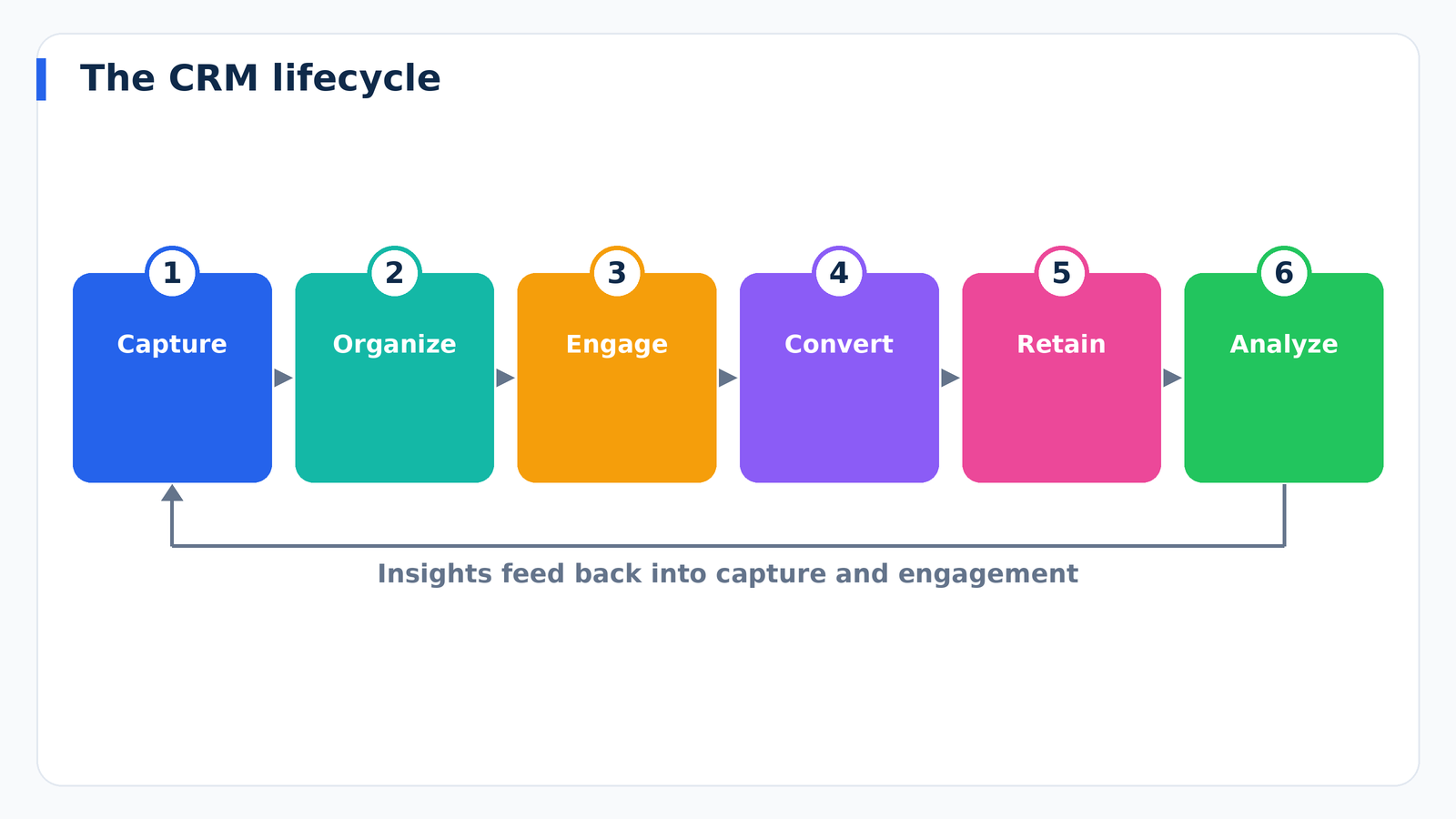
Most systems follow a simple cycle:
- Capture. Leads arrive through forms, ads, events, referrals, chat, email, and phone calls.
- Organize. The system deduplicates records, assigns owners, and applies tags or scores.
- Engage. Teams follow up through email, calls, meetings, and automated sequences.
- Convert. Opportunities move through a pipeline until they are won or lost.
- Retain. Service, renewals, and upsells keep the relationship growing.
- Analyze. Reports reveal what is working so the cycle improves over time.
Core Features of a CRM
CRM products differ in price and polish, but most share a common foundation. Understanding these building blocks makes it easier to compare options without getting lost in marketing language.
Contact and Account Management
This is the heart of the system. Each contact record stores identifying details, communication history, notes, files, and relationships to companies and colleagues. Good systems let you add custom fields, so you can track what matters for your industry, such as a property type, a contract renewal date, or a preferred communication channel.
Lead and Opportunity Tracking
A lead is someone who has shown interest. An opportunity is a lead that has been qualified as a realistic chance to sell. A CRM lets you track both, assign them to owners, and record the value and expected close date of each deal. This is the foundation of accurate forecasting.
Sales Pipeline Visualization
Most CRMs display deals on a board with stages such as New, Contacted, Proposal Sent, Negotiation, and Closed. Dragging a card from one column to another updates the record and can trigger automations. Managers get an instant view of where revenue is stuck.
Task and Activity Management
Follow-ups are where deals are won or lost. A CRM schedules tasks, sends reminders, and logs calls and meetings, so nothing depends on memory. When a team member is out, a colleague can pick up the thread because the full history is visible.
Email Integration and Communication Tracking
Connecting your inbox and calendar means emails and meetings are logged automatically. This saves hours of manual data entry, which is one of the biggest reasons CRM adoption fails when it is missing.
Automation
Automation handles repetitive work: assigning new leads, sending a welcome sequence, creating a task when a deal changes stage, or alerting a manager when a high-value opportunity stalls. Done well, it frees people to focus on conversations rather than administration.
Reporting and Analytics
Dashboards turn raw activity into insight. Common reports include pipeline value by stage, win rate, average sales cycle, lead source performance, and activity by rep. These numbers allow you to make decisions based on evidence rather than gut feeling.
The Main Types of CRM Systems
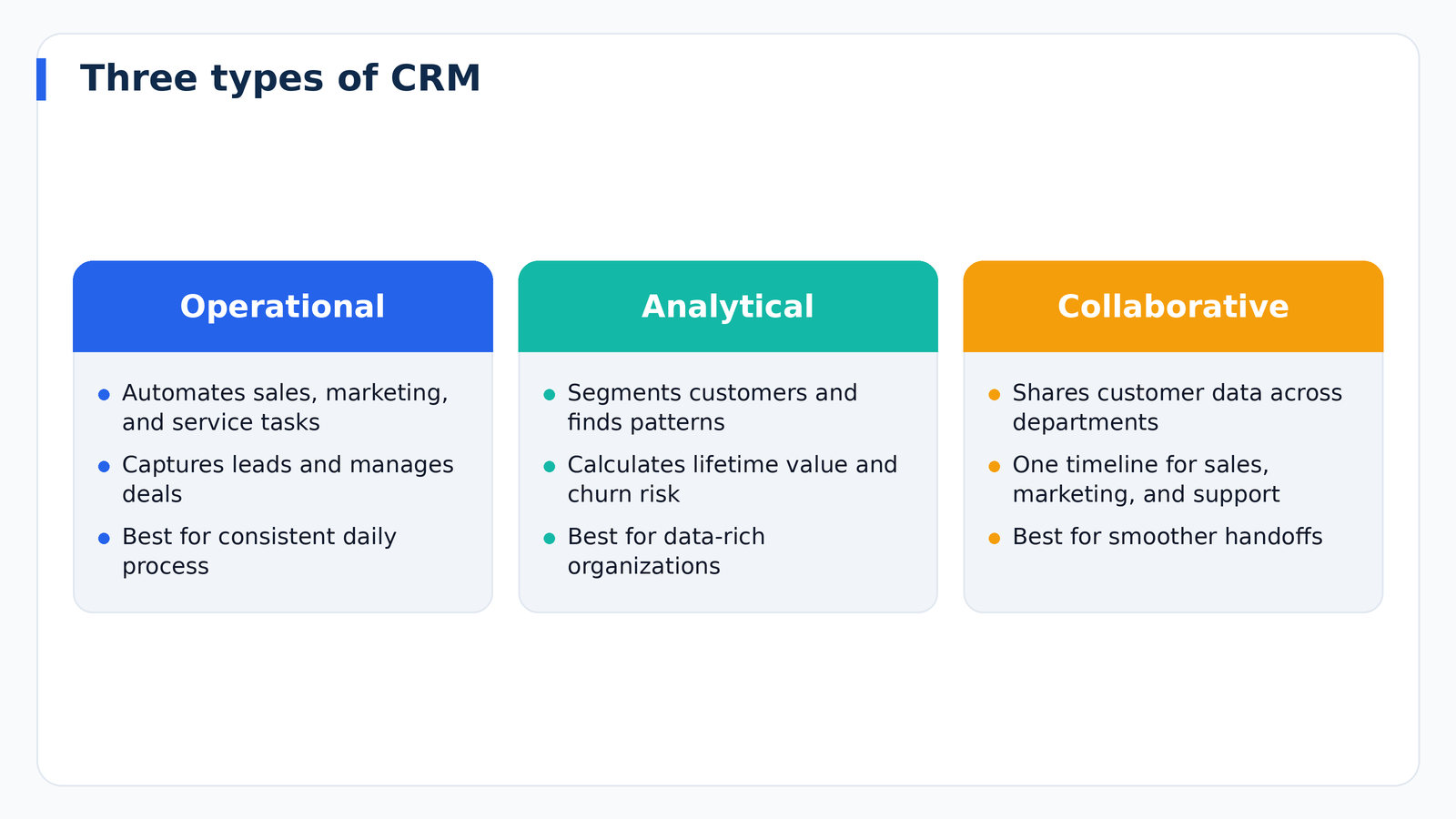
Not every CRM serves the same purpose. Analysts usually group them into three categories, and many modern platforms blend them.
Operational CRM
An operational CRM streamlines the day-to-day work of sales, marketing, and service. It focuses on automating processes: capturing leads, running campaigns, managing deals, and handling support requests. If your main goal is to stop losing leads and run a consistent process, this is the category you need.
Analytical CRM
An analytical CRM focuses on understanding customer data. It segments audiences, identifies buying patterns, calculates customer lifetime value, and predicts churn. Larger organizations with significant data volume benefit most, though smaller teams increasingly get basic analytics built into everyday tools.
Collaborative CRM
A collaborative CRM improves information sharing between departments and sometimes with partners. When marketing, sales, and support all see the same customer timeline, handoffs improve and customers stop repeating themselves to different people.
Cloud vs. On-Premise CRM
Today the vast majority of businesses choose cloud-based CRM, delivered as a subscription through a web browser and mobile app. Cloud systems are faster to deploy, update automatically, and scale as your team grows. On-premise systems, installed on your own servers, offer deeper control over data and customization, which some regulated industries still prefer, but they require IT staff, maintenance, and a larger upfront investment. For most small and mid-sized companies, cloud is the practical choice.
Who Uses a CRM?
CRM is not limited to sales teams. Different departments rely on the same system in different ways:
- Sales teams track leads, manage pipelines, and forecast revenue.
- Marketing teams segment audiences, run email campaigns, and measure which channels produce customers.
- Customer service teams log tickets, access purchase history, and resolve issues faster.
- Executives monitor revenue health and spot trends across the business.
- Small business owners use it as a single place to remember who they talked to and what they promised.
The Benefits of Using a CRM
The value of a CRM shows up in several ways, and the biggest gains usually come from combining them.
Better organization. A single source of truth ends the scavenger hunt through inboxes and spreadsheets. Everyone works from the same current information.
Faster, more consistent follow-up. Automated reminders and sequences make sure leads receive a timely response, which strongly influences whether they ever become customers.
More accurate forecasting. When every deal has a stage, value, and expected close date, leaders can predict revenue with far more confidence.
Personalized communication. Segmentation lets you send relevant messages instead of generic blasts, which tends to improve engagement and reduce unsubscribes.
Improved customer retention. Seeing a complete history helps teams anticipate needs, resolve problems quickly, and spot at-risk accounts before they leave.
Smoother team transitions. When employees leave or territories change, knowledge stays in the system rather than walking out the door.
Common CRM Mistakes to Avoid
Many CRM projects disappoint, and the cause is rarely the software itself. These are the pitfalls that appear most often.
Buying before defining the process. If you cannot describe how a lead becomes a customer today, software will not invent that process for you. Map your sales stages first, then configure the tool to match.
Overcomplicating the setup. Dozens of required fields and elaborate workflows frustrate users. Start with the minimum information needed to make decisions and add detail only when it proves useful.
Neglecting training and ownership. A CRM needs a champion who owns configuration, answers questions, and keeps data clean. Without one, adoption fades within months.
Ignoring data quality. Duplicate contacts, missing fields, and outdated records erode trust. Regular cleanups and validation rules keep the system reliable.
Treating it as a surveillance tool. If salespeople believe the CRM exists mainly to monitor them, they will resist it. Position it as a tool that helps them close more deals with less busywork.
How to Know If You Need a CRM
You are likely ready for a CRM if several of these statements sound familiar:
- Customer information is scattered across spreadsheets, email accounts, and notebooks.
- Leads occasionally fall through the cracks because no one followed up.
- You cannot quickly answer how many deals are in progress or what revenue to expect next quarter.
- Team members ask each other for customer history before every call.
- You are growing and the manual system is starting to strain.
Even a one-person business can benefit, because the cost of forgetting a follow-up is often higher than the price of a basic plan.
How to Choose the Right CRM
With hundreds of products on the market, a structured approach saves time and prevents expensive mistakes.
- Write down your goals. Do you need better lead follow-up, cleaner reporting, or stronger customer service? Rank them.
- Document your sales process. List your stages, the information you capture at each, and who is involved.
- Set a realistic budget. Consider per-user fees, add-ons, onboarding, and the time your team will invest.
- Check integrations. Confirm the CRM connects to your email, calendar, website forms, accounting tools, and any other system you rely on.
- Evaluate ease of use. The best system is the one your team will actually open every day. Run a free trial with real data.
- Consider scalability. Make sure the platform can grow with you without forcing a painful migration in two years.
- Review security and support. Look for role-based permissions, data backups, and responsive customer support.
The Future of CRM
CRM continues to evolve. Artificial intelligence now helps draft emails, summarize calls, score leads, and recommend next steps. Integrations are becoming deeper, so the CRM sits at the center of a connected stack rather than operating as an isolated database. Customers also expect consistent, personalized experiences across email, chat, phone, and social channels, which raises the importance of having one unified customer record. Businesses that build a clean data foundation today will be best positioned to benefit from these advances.
Frequently Asked Questions
Is a CRM only for large companies?
No. Many CRMs are designed for small teams and freelancers, and several offer free or low-cost entry plans. The benefits of organization and follow-up apply at any size.
How long does it take to set up a CRM?
A simple setup can take a few days, while a complex implementation with custom workflows and data migration may take several weeks or months. Starting small and expanding gradually usually works best.
What is the difference between a CRM and a spreadsheet?
A spreadsheet stores data, but it does not automate follow-ups, log emails, visualize pipelines, or enforce consistent processes. As the number of contacts and team members grows, those gaps become costly.
Can a CRM help with marketing?
Yes. Most platforms include or integrate with email marketing, landing pages, and campaign reporting, so you can see which efforts generate real customers rather than just clicks.
Final Thoughts
A CRM is not magic, but it is one of the most reliable ways to turn scattered customer information into consistent action. The right system helps you respond faster, understand your customers better, and grow revenue without growing chaos. Start by clarifying your process and goals, choose a tool your team will genuinely use, keep the data clean, and improve step by step. The businesses that treat CRM as an ongoing discipline rather than a one-time purchase are the ones that get the most from it.