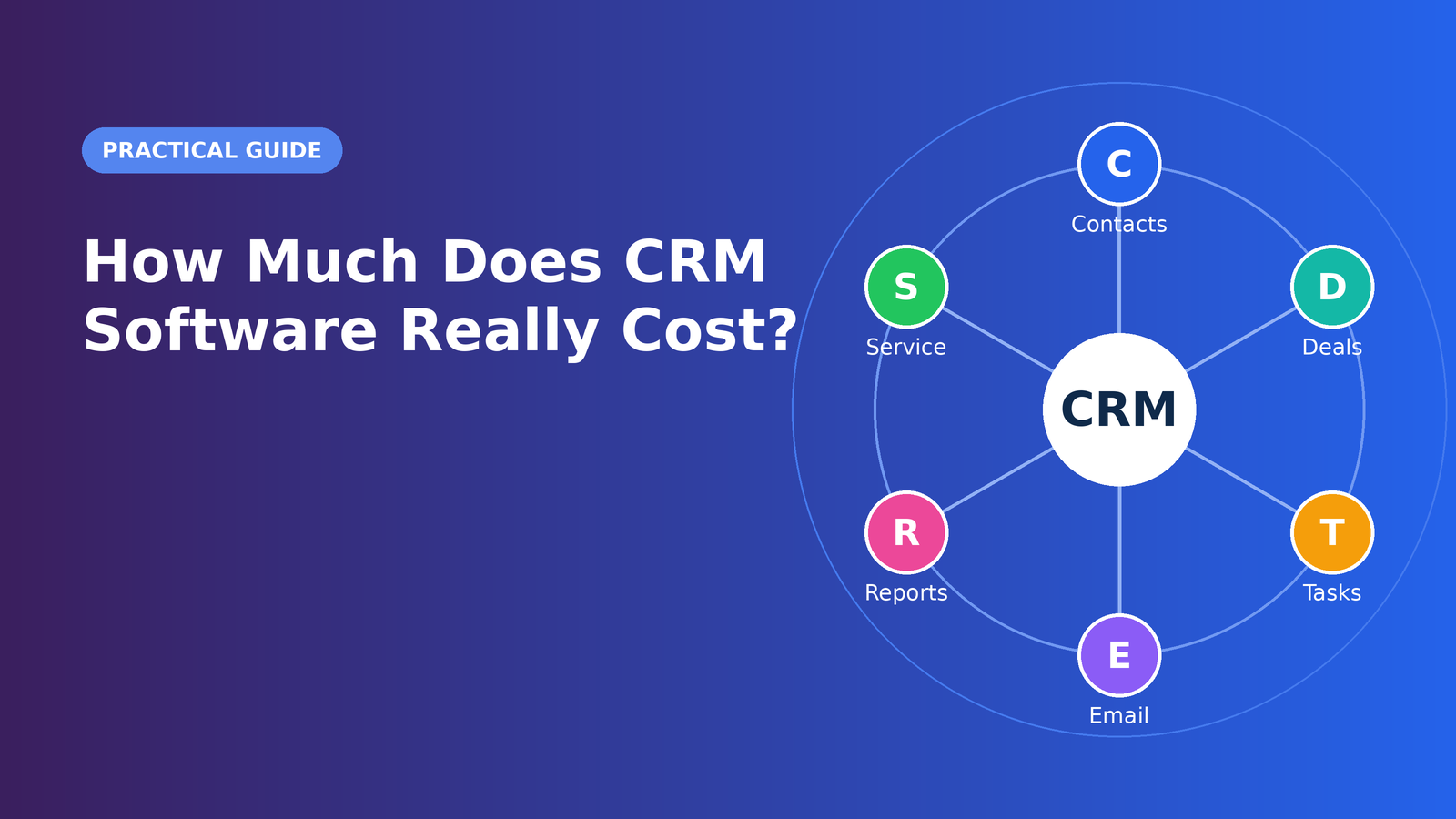
“How much does a CRM cost?” is one of the most common questions buyers ask, and one of the hardest to answer in a single number. A CRM can be free, or it can cost far more than the subscription price suggests once implementation, integrations, training, and staff time are counted. The sticker price on a pricing page is only the beginning of the story.
This guide explains how CRM vendors structure their pricing, which costs are easy to overlook, how to estimate your total cost of ownership, and how to negotiate smarter. Prices and plan names change frequently, so rather than quoting numbers that will quickly go out of date, the goal here is to teach you how to read any pricing page and calculate what a system will really cost your business.
The Most Common CRM Pricing Models
Per-User Subscription
The dominant model is a monthly or annual fee for each person who uses the system. If a plan costs a set amount per user per month and you have eight users, you multiply accordingly. This model is predictable and scales easily, but costs climb as your team grows. Watch for minimum seat requirements, which can force small teams to pay for seats they do not need.
Tiered Plans
Most vendors offer several tiers, often labeled with names like Starter, Professional, and Enterprise. Each tier unlocks more features, higher limits, or better support. The challenge is that features you consider essential, such as workflow automation, custom reports, or advanced permissions, often sit on a mid-level or higher tier. Always compare the feature matrix, not just the starting price.
Freemium Plans
Some platforms offer a permanent free plan with limits on contacts, users, or features. Freemium is a legitimate way to start, particularly for solo professionals, but the free plan is designed to encourage upgrades. Understand exactly where the boundaries are and what the next step costs.
Usage-Based Pricing
Some components of a CRM, especially marketing tools, are priced by volume. Email sends, stored contacts, API calls, or automation runs may be metered. A business that grows its list quickly can see costs rise faster than expected.
Flat-Rate Pricing
A smaller number of vendors charge one price for an entire team. This can be a bargain for larger groups, though you should confirm what is included and whether limits apply.
One-Time License (On-Premise)
Self-hosted or on-premise systems may involve a large upfront license fee, plus ongoing maintenance, hosting, and IT costs. This approach has become less common, though some organizations choose it for control or regulatory reasons.
The Hidden Costs Most Buyers Miss
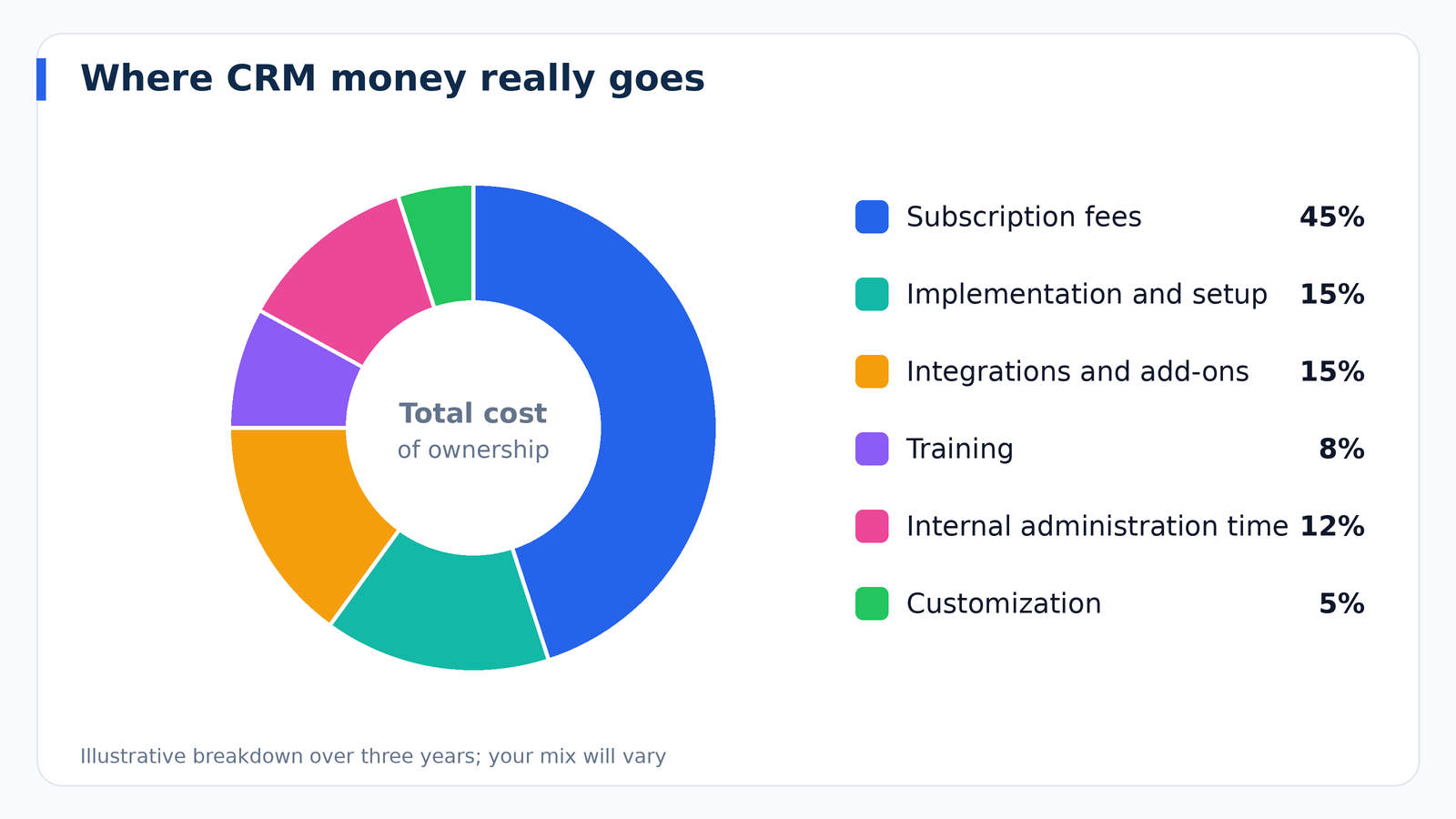
Experienced buyers know that the subscription is the tip of the iceberg. Budget for the following before you commit.
Implementation and Setup
Configuring pipelines, fields, permissions, and automation takes time. Simple tools may be self-service, while complex platforms often require a paid implementation partner. Ask vendors for typical timelines and whether setup fees apply.
Data Migration
Moving records from spreadsheets or an old system involves cleaning, mapping fields, and testing the import. If you do it yourself, the cost is staff hours. If you hire help, it is a project fee. Messy data increases both.
Integrations and Connectors
Connecting your CRM to accounting, ecommerce, support, or marketing systems may require paid connectors, higher-tier plans, or middleware subscriptions. Some integrations are free and native, while others carry recurring costs.
Customization
Custom objects, custom reports, and bespoke workflows are powerful but can require specialized skills. If you lack in-house expertise, factor in consultant fees.
Training and Change Management
Adoption does not happen automatically. Time spent training users, creating documentation, and answering questions is a real cost, and skipping it is the most expensive mistake of all because unused software delivers zero return.
Add-Ons and Premium Support
Extra storage, additional sandbox environments, advanced analytics, dedicated support, and onboarding packages are frequently sold separately. Ask for a complete quote that lists every line item.
Administration Time
Someone has to maintain the system: adding users, adjusting fields, fixing data problems, and building reports. In a small business this may be a few hours a month, while larger deployments may require a dedicated administrator.
Contract Terms and Renewal Increases
Introductory discounts may expire, and renewal prices can rise. Multi-year commitments may reduce the monthly rate but reduce flexibility. Read the renewal and cancellation terms carefully.
How to Calculate Total Cost of Ownership
Total cost of ownership, or TCO, is the full cost of using a CRM over a defined period, typically three years. It gives you a fair way to compare a cheap tool with high hidden costs against a pricier tool that includes more.
Use this simple framework:
- Subscription costs. Number of users multiplied by the plan price, multiplied by months, adjusted for planned growth.
- One-time costs. Setup, data migration, and initial training.
- Recurring add-ons. Integrations, extra contacts, storage, and support packages.
- Internal labor. Hours spent administering the system multiplied by an hourly cost.
- Ongoing improvement. Budget for consulting or training when you expand usage.
Add these together over three years and divide by the number of users to get a cost per user. That figure makes it much easier to compare very different products.
A Realistic Budgeting Example
Imagine a services company with six employees who will use the CRM. They might choose a mid-tier plan so they can use workflow automation. Their three-year picture could include the annual subscription for six users, a modest setup effort handled mostly in-house, a connector to link their accounting software, a few hours of training at the start, and about two hours a month of internal administration. Even when the subscription looks affordable, the internal time and add-ons can add a meaningful percentage to the total. Building this kind of simple model before you buy prevents unpleasant surprises, and it lets you compare vendors on an equal footing.
Free CRM: When It Makes Sense
A free CRM can be a perfectly sensible choice if you are a solo operator, a very small team, or testing whether CRM habits will stick. Free plans typically include basic contact management, a simple pipeline, and limited reporting. Be mindful of these trade-offs:
- Limits on the number of contacts, users, or records
- Restricted automation and customization
- Vendor branding on forms and emails
- Limited support, often community-based
- An upgrade cost that can jump sharply when you outgrow the free tier
The smart approach is to start free if it fits, but check that you can export your data cleanly, so a future move does not become a crisis.
Is a Cheaper CRM Always Better?
Not necessarily. The cheapest product can become the most expensive if it lacks a feature you need and forces workarounds, or if poor usability keeps people from using it. On the other hand, the most expensive system is not automatically the best. Many businesses overbuy, paying for advanced capabilities that stay untouched. The right price is the one that matches the value the system can realistically deliver for your team.
A useful test is to estimate the value of what the CRM will improve. If faster follow-up helps you win even a small number of additional deals each year, or if better retention saves a handful of customers, compare that gain with the annual cost. A CRM that pays for itself with a modest improvement is a good investment, even if its price is higher than a bare-bones alternative.
How to Negotiate Better CRM Pricing
Many buyers assume that listed prices are fixed. In practice, especially with mid-market and enterprise vendors, there is often room to negotiate.
- Ask for annual billing discounts. Paying yearly often lowers the effective monthly rate.
- Time your purchase. Sales teams sometimes have more flexibility near the end of a quarter or year.
- Bundle thoughtfully. If you need several products from one vendor, ask about package pricing.
- Request price protection. Ask for a cap on renewal increases or a locked rate for the first term.
- Negotiate onboarding. Setup and training are often more flexible than license fees.
- Compare quotes. Getting proposals from several vendors strengthens your position.
- Right-size your seats. Start with the users who truly need access and add more later.
Questions to Ask Every Vendor
Bring this list to demos and sales calls so that comparisons are apples to apples:
- What is the total annual cost for my team size, including every add-on I will need?
- Which features are included in each plan, and which require an upgrade?
- Are there setup, onboarding, or data migration fees?
- What are the limits on contacts, storage, emails, and automation?
- How much can the price increase at renewal?
- What are the contract length and cancellation terms?
- How do I export my data if I leave?
- What level of support is included, and what costs extra?
- Which integrations are native, and which require paid connectors?
Ways to Reduce Your CRM Costs Without Sacrificing Value
You can control spending without compromising results. Begin with a plan that covers your real needs, not your imagined future needs. Audit user licenses periodically and remove inactive accounts. Take advantage of free training resources, documentation, and community forums before paying for consulting. Use native integrations where possible. Clean your data before migration to avoid paying for extra cleanup. And review your plan once a year, since both your needs and the market change.
Measuring Whether the Investment Pays Off
Cost only makes sense relative to return. Before launch, record baseline measures such as lead response time, win rate, average deal size, sales cycle length, and customer retention. After several months, compare. If response times fall, conversion rises, or the team recovers hours previously spent on admin, you can assign value to those improvements and calculate a clear return. Without baselines, it is hard to justify the expense or to know whether the CRM is working.
Frequently Asked Questions
Why do CRM prices vary so much?
Prices reflect differences in features, scale, support, and target audience. A lightweight contact manager for freelancers and a customizable enterprise platform are very different products.
Are annual plans worth it?
Often yes, because they typically lower the monthly rate. The trade-off is reduced flexibility, so make sure you are confident in the product after a trial before committing for a year.
Do I pay for every employee?
Usually you pay for users who need to log in. Some vendors offer cheaper or free seats for viewers or limited-access roles, which can reduce costs.
What happens to my data if I cancel?
Policies differ. Confirm in advance that you can export your records in a standard format and how long the vendor retains your data after cancellation.
Final Thoughts
Understanding CRM pricing means looking beyond the monthly fee. Compare plans by feature, calculate the three-year total cost of ownership, account for implementation and training, and ask vendors pointed questions before you sign. Treat the purchase as an investment with measurable goals, track results after launch, and adjust over time. Done thoughtfully, a CRM becomes one of the most cost-effective tools in your business, because it directly supports the activity that keeps companies alive: winning and keeping customers.