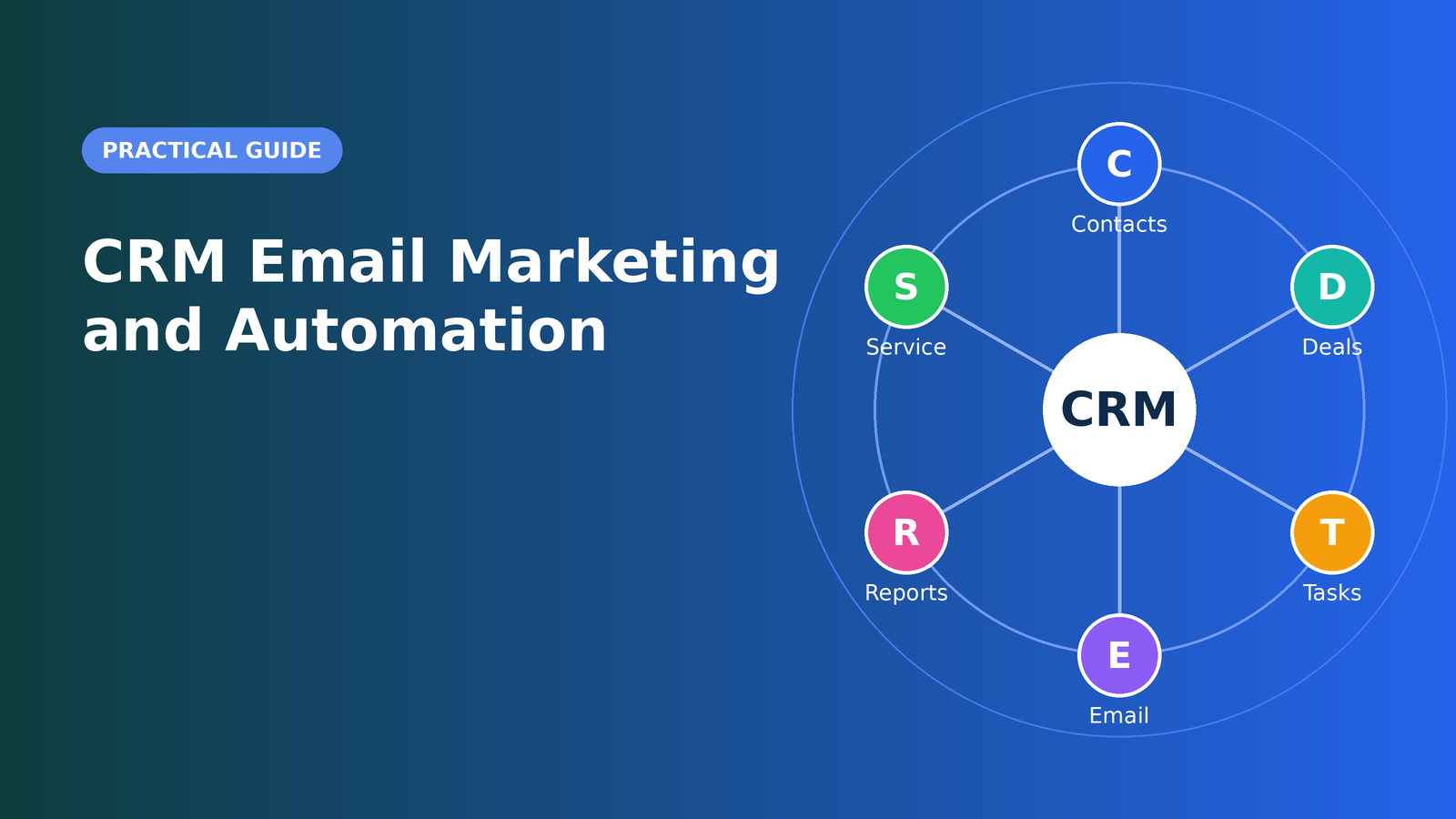
Email remains one of the most dependable ways to reach customers. It is direct, measurable, and owned by you, unlike social platforms where algorithms decide who sees your message. But email only works when messages are relevant. A generic blast to every contact on your list wastes attention, hurts deliverability, and trains people to ignore you.
That is where the connection between your CRM and your email marketing becomes powerful. Your CRM knows who people are, how they found you, what they bought, and which stage of the journey they are in. When that knowledge drives your emails, you can send the right message to the right person at the right time, automatically. This guide explains how to do it well.
Why Connect Email Marketing to Your CRM?
Many businesses run email marketing in one tool and sales in another, with no shared picture of the customer. The result is predictable: marketing emails a prospect who just signed a contract, sales calls a lead who has been ignoring every message, and nobody can say which campaigns produce revenue.
Integrating the two creates several advantages:
- Relevance. Messages reflect real attributes such as industry, purchase history, and engagement.
- Coordination. Sales sees which emails a contact opened and which links they clicked, so conversations start with context.
- Attribution. You can connect campaigns to deals and revenue, not just opens and clicks.
- Efficiency. Automation handles routine communication while your team focuses on high-value conversations.
- Consistency. Customers receive a coherent experience across marketing, sales, and support.
Start With Clean, Permission-Based Data
Email effectiveness begins with the list. Only email people who have given permission or have a legitimate relationship with you, and honor opt-outs promptly. In the United States, the CAN-SPAM Act sets requirements such as including a physical mailing address, offering a clear unsubscribe mechanism, and avoiding deceptive subject lines. Other regions have stricter consent rules, so if you email international audiences, seek qualified legal guidance.
Use your CRM to record consent status and its source, such as a signup form or event registration. Remove invalid addresses, suppress unsubscribed contacts, and consider a periodic cleanup of people who have not engaged for a long time. A smaller, engaged list outperforms a large, unresponsive one, and it protects your sender reputation.
Segmentation: The Foundation of Relevant Email
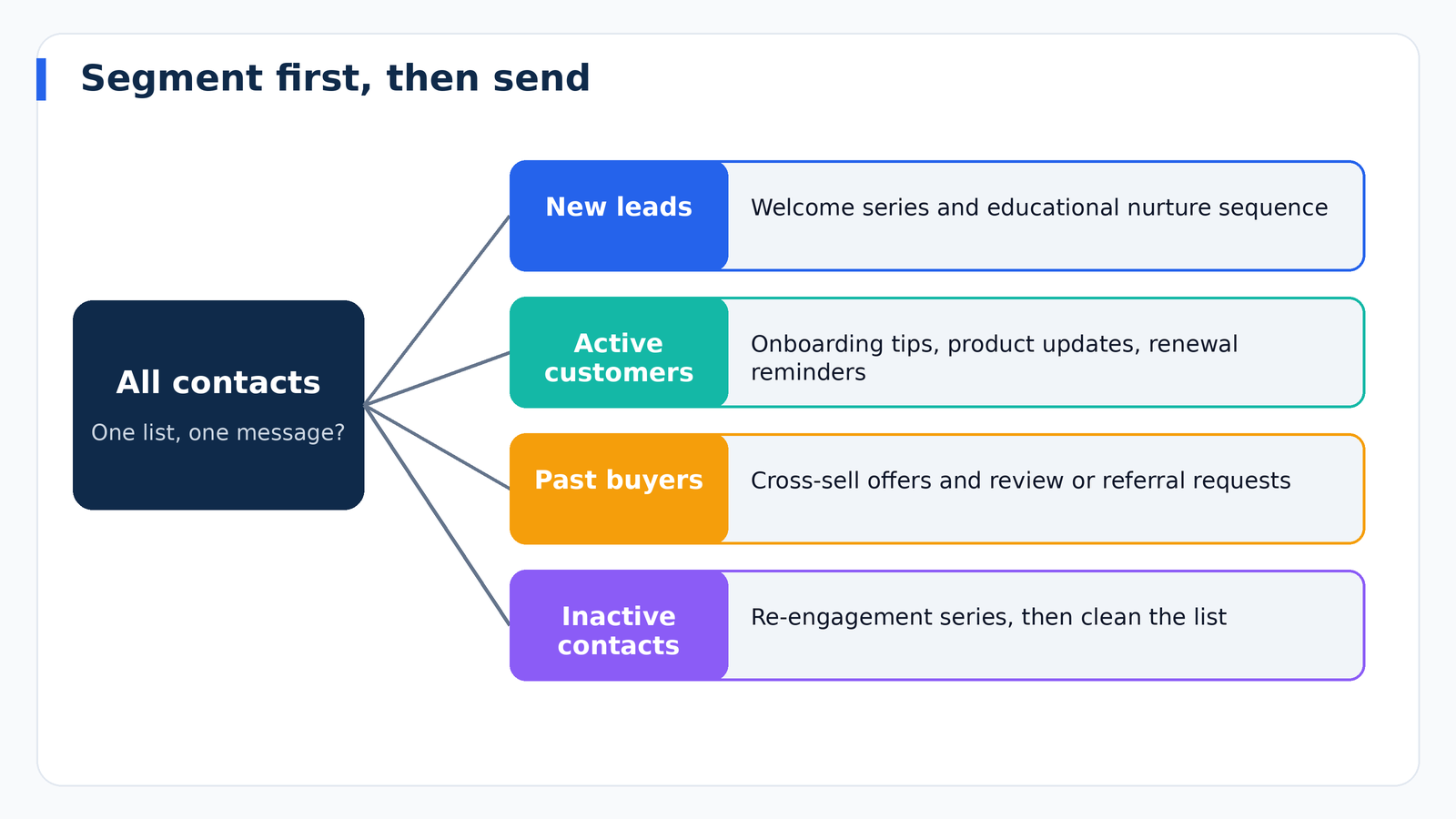
Segmentation means dividing contacts into groups so each receives appropriate messages. Your CRM provides the fields and behaviors that make this possible. Useful segmentation criteria include:
- Lifecycle stage: subscriber, lead, opportunity, customer, or former customer.
- Industry or company size: especially valuable for B2B messaging.
- Lead source: contacts from a webinar need different follow-up than those from a pricing page.
- Purchase history: products owned, order value, and time since last purchase.
- Engagement: recent opens, clicks, page visits, or event attendance.
- Geography and language: relevant for offers, events, and timing.
- Interests: topics selected in a preference center or inferred from behavior.
Start with a few meaningful segments rather than dozens. For example, new leads, active customers, and inactive contacts already enable much better targeting than a single list.
Essential Automated Workflows
Automation uses triggers, such as a form submission or a deal stage change, to start a sequence of actions. These workflows deliver the greatest return for most businesses.
Welcome Series
The first messages after someone joins your list receive the highest attention. Use a short sequence to thank them, set expectations, deliver what you promised, introduce your most useful content, and invite a next step. Keep it personal and helpful rather than overtly promotional.
Lead Nurturing Sequence
Most leads are not ready to buy immediately. A nurture sequence educates over time with guides, case studies, and answers to common questions. Tie it to behavior: if a lead visits your pricing page or opens several emails, increase their score and alert sales to reach out.
Post-Inquiry Follow-Up
When someone requests a quote or demo, an immediate confirmation email with clear next steps builds confidence. Pair it with an internal task for the assigned rep so a human follows up quickly.
Onboarding Sequence
New customers benefit from guidance. Walk them through setup, highlight key features, share resources, and check in at appropriate intervals. Strong onboarding reduces early churn and support requests.
Abandoned Cart and Browse Recovery
For ecommerce, sending a reminder when a shopper leaves items behind is among the most effective automations. Include the product, a clear call to action, and, where appropriate, helpful information rather than relying solely on discounts.
Re-Engagement Campaign
For contacts who have gone quiet, a short series that asks if they still want to hear from you, offers a reason to return, and then removes non-responders keeps your list healthy.
Renewal and Upsell Reminders
Triggered by dates or usage in your CRM, these messages prompt renewals, introduce relevant add-ons, and request feedback. Timing them ahead of contract expirations avoids last-minute surprises.
Post-Purchase and Review Requests
After a purchase or completed project, thank the customer, confirm details, and ask for a review or referral. Social proof generated this way helps future marketing.
Lead Scoring: Knowing When to Hand Off to Sales
Lead scoring assigns points based on fit and behavior. Fit points reflect who the lead is, such as industry, job title, and company size. Behavior points reflect what they do, such as opening emails, clicking links, visiting key pages, or attending a webinar. When a score crosses a threshold, the CRM can notify a salesperson or change the lead status. Review and recalibrate the model periodically by comparing scores with actual conversions, so the points you assign reflect what truly predicts sales.
Writing Emails That Get Results
Subject Lines
Be clear and specific. Describe the value inside, keep it reasonably short, and avoid misleading hooks or excessive capitalization, which can trigger spam filters and erode trust. Test variations to learn what your audience prefers.
Personalization That Goes Beyond a First Name
Using a name is the bare minimum. Real personalization draws on CRM data: mentioning a recent purchase, referencing their industry, or recommending content based on interests. Make sure the data is accurate, because wrong personalization is worse than none.
One Message, One Goal
Every email should have a single primary call to action. Multiple competing requests dilute response. Make the button or link obvious and the benefit clear.
Mobile-Friendly Design
A large share of email is opened on phones. Use a single-column layout, readable font sizes, and buttons that are easy to tap. Simple, text-forward emails often perform as well as heavily designed ones.
Tone and Value
Write as though you are speaking to one person. Provide genuine usefulness, such as tips, insights, and solutions, in addition to promotions. Audiences that regularly receive value are more receptive when you do ask for a sale.
Deliverability: Making Sure Emails Reach the Inbox
Even brilliant emails fail if they land in spam. Protect deliverability with these practices:
- Authenticate your domain. Set up SPF, DKIM, and DMARC records so mailbox providers can verify your messages.
- Use a recognizable sender name and address. Consistency builds trust.
- Warm up gradually. New sending domains should increase volume slowly.
- Keep bounce and complaint rates low. Remove invalid addresses and make unsubscribing easy.
- Avoid spammy content. Excessive punctuation, deceptive claims, and image-only emails raise flags.
- Monitor engagement. Providers consider whether recipients open and interact with your mail.
Metrics That Matter
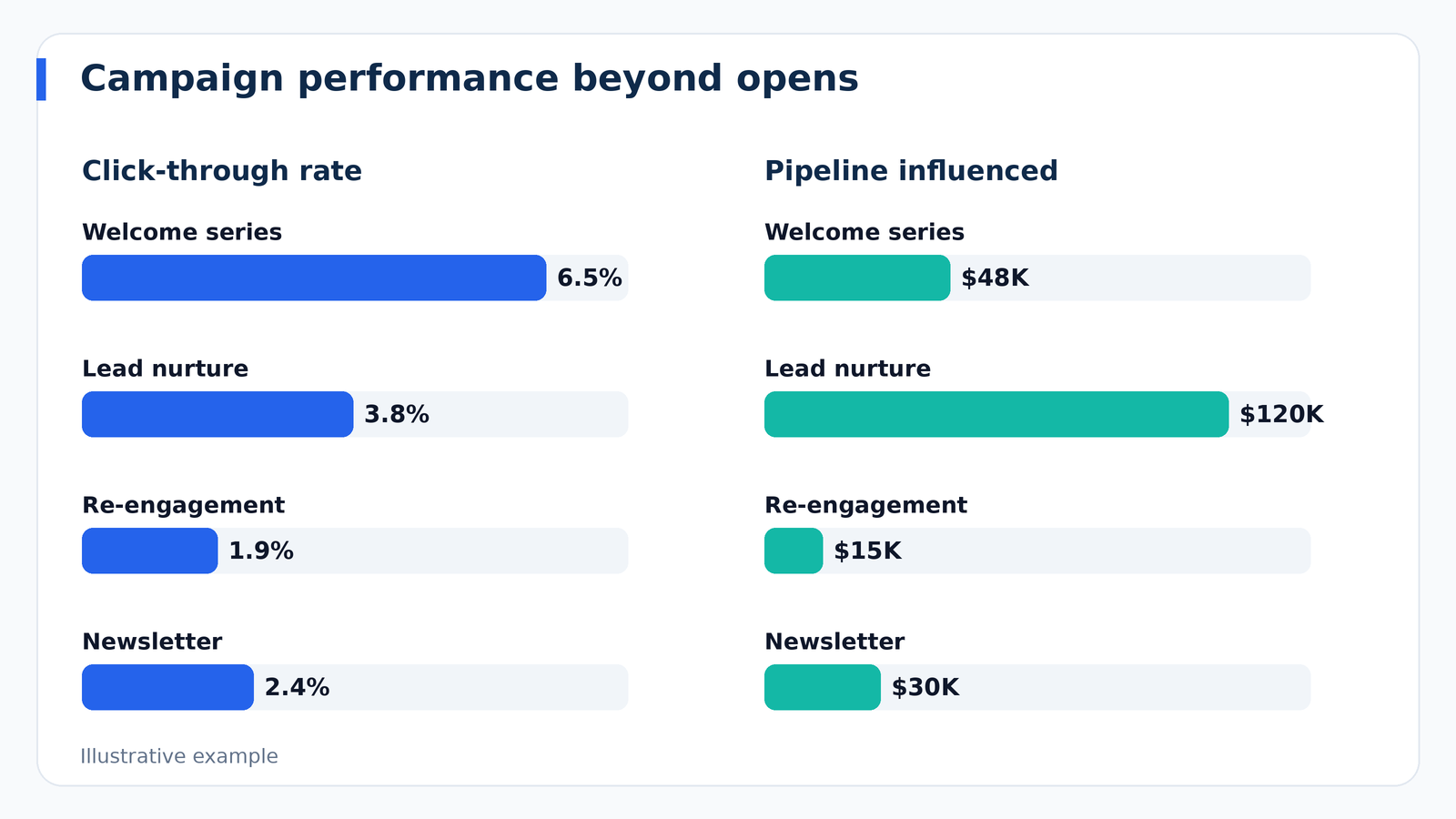
It is tempting to focus on open rates, but changes in email privacy features have made opens less reliable as a standalone measure. Look at a balanced set of indicators:
- Click-through rate: the share of recipients who click a link, which signals interest.
- Conversion rate: the percentage who complete your desired action.
- Unsubscribe and complaint rates: early warning signs of relevance problems.
- List growth and engagement: net new subscribers and the proportion of active readers.
- Revenue and pipeline influenced: the metric your CRM uniquely provides by connecting campaigns to deals.
Testing and Optimization
Improvement comes from experimentation. Test one variable at a time, such as subject line, send time, call to action, or content format, and give tests enough volume and time to produce meaningful results. Document findings and apply what you learn. Review automated workflows quarterly, since outdated sequences can quietly harm results. Check that links work, offers are current, and the timing still makes sense.
Aligning Marketing and Sales
Email works best when both teams agree on definitions and handoffs. Decide what qualifies as a marketing-qualified lead, how quickly sales should follow up, and what happens when a lead is not ready. Share feedback regularly: sales can tell marketing which leads convert, and marketing can tell sales which content resonates. Your CRM makes this loop visible, with shared reports and a common view of each contact’s history.
Common Mistakes to Avoid
- Emailing everyone the same message. Relevance drives results.
- Over-automating. Sequences should feel human, and high-value leads deserve personal attention.
- Neglecting list hygiene. Dead addresses damage sender reputation.
- Ignoring mobile users. Test every email on a phone.
- Measuring only opens. Prioritize clicks, conversions, and revenue.
- Forgetting the unsubscribe path. It is a legal requirement and a trust builder.
- Letting sales and marketing collide. Pause nurture emails when a deal is active, if appropriate.
Frequently Asked Questions
Do I need a separate email marketing tool if my CRM has one?
Not always. Many CRMs include solid email features that suit small and mid-sized businesses. If you need advanced design, high volume, or sophisticated automation, a dedicated platform integrated with your CRM may be a better choice.
How often should I email my list?
It depends on your audience and the value you provide. Consistency matters more than frequency. Watch unsubscribe and engagement rates to find the right cadence.
What is the best time to send emails?
There is no universal answer. Start with common patterns for your audience, then test and rely on your own data.
How do I start with automation if I have never used it?
Begin with a welcome series and a simple lead follow-up. Once those run smoothly, add nurturing and re-engagement workflows.
Final Thoughts
Email marketing and a CRM are stronger together. By grounding your campaigns in accurate customer data, segmenting thoughtfully, automating the routine, and measuring what truly drives revenue, you can build relationships at scale without losing the personal touch. Start with permission-based lists and a few high-impact workflows, keep your data clean, and improve step by step. The reward is a communication engine that nurtures leads, delights customers, and steadily grows your business.